Schlage Sense Pro Review: Who Needs a Key Anyway?
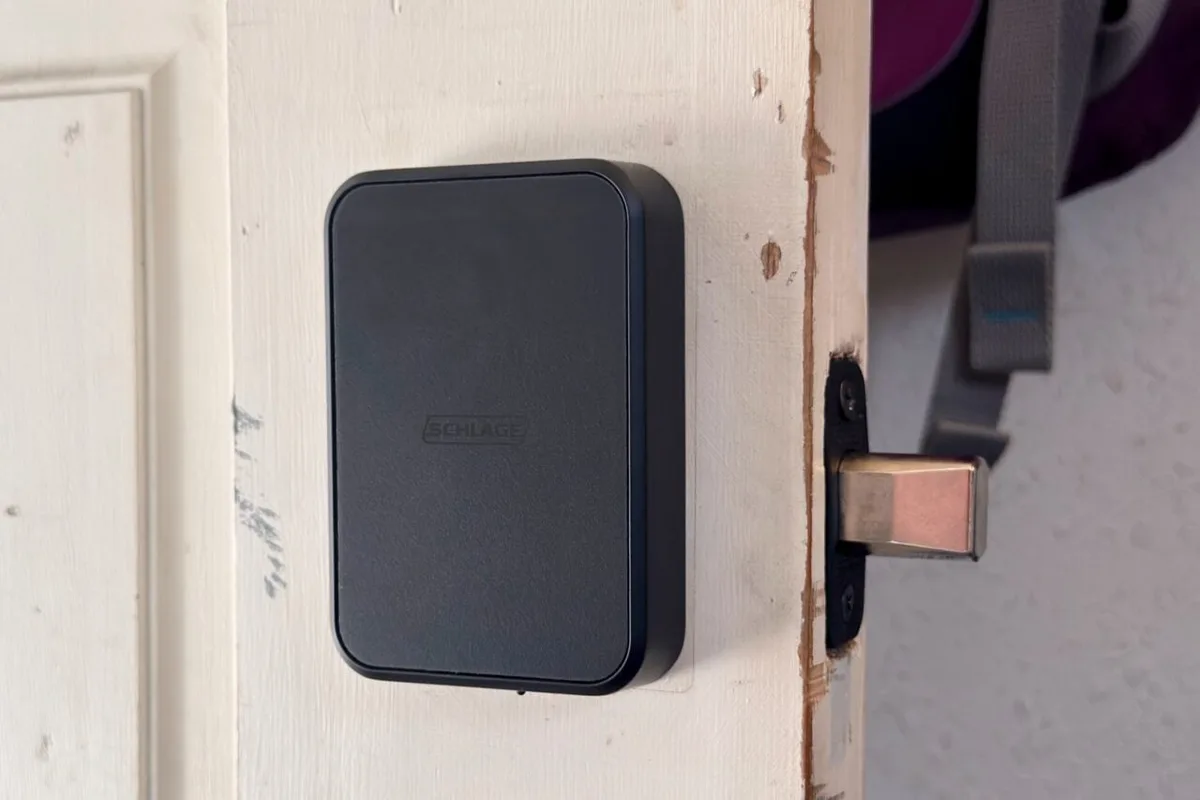
Smart locks are finally great. That’s how I felt after reviewing the Aqara U400 smart lock, which uses ultra-wideband (UWB) to unlock hands-free when you approach it with your smartphone in your pocket. It’s also sort of how I felt after a few days with the Schlage Sense Pro, at least in day-to-day use.
Schlage’s smart lock is endowed with the same UWB-sensing capability as Aqara’s smart lock. Its main appeal over the U400, at least for me, is its appearance—I like its clean aesthetic. But I’m struggling to see why anyone would buy it over Aqara’s lock. One reason is that Schlage’s product is $400, while Aqara’s costs just $270. Another is that it doesn’t use a physical key at all, though you could see that as a plus, since it means the lock can’t be picked.
Other factors, like the lack of a fingerprint sensor and the use of replaceable AA batteries instead of a rechargeable one, could put people off, too. I feel like a prince when my door unlocks right before I reach out to open it, but I came away feeling like the Sense Pro will only appeal to a narrow set of people.
A good UWB smart lock that’s hard to recommend over Aqara’s more featureful and cheaper U400.
Installing the Schlage Sense Pro just requires removing the old lock, slotting the length-adjustable bolt in, sliding the exterior keypad’s spindle through it, then fixing a mounting plate to the interior side of your door and using two small screws to attach the thumbturn part. You’ll insert the four included AA batteries into a plastic holder, slide the holder into the top, then add the device to your preferred smart home platform using the Matter QR code printed on a sticker just above the battery compartment. It only took me about 10 minutes to do all of this. This is where I point out that hands-free unlocking with UWB is still an Apple-only affair—as of this writing, Samsung and Google plan to add it but haven’t yet.
The Sense Pro looked nice on the (admittedly shabby) back door where I tested it, particularly the exterior keypad. It has a simple, rectangular body with a touch-based number pad that lights up when you tap it, ready for you to input an entry code. When it’s unlocked, you’ll tap the top edge twice to lock it again.
The Sense Pro uses either Wi-Fi or Bluetooth for its primary connectivity; to use UWB, you’ll need a Thread border router, such as a 2nd-gen HomePod or HomePod Mini. I don’t have one of those devices set up particularly close to where the lock was installed, but that didn’t seem to affect response time.
I experienced a slight adjustment period before the Sense Pro reliably responded to my iPhone 15 Pro’s UWB signal. At first, I had to wait in front of the door for a few seconds before it responded. After a couple of attempts, though, it was unlocking before I could even reach for the handle.
At first, the Sense Pro wouldn’t respond to my Apple Watch at all when I left my phone behind, even when I held the wearable up to the lock for NFC detection.
5News aggregated this summary from the outlet’s public feed. The full article, with all the context, is on gizmodo.com — the content belongs to Gizmodo.