The Razer Naga V3 Pro is a jack-of-all-trades mouse — but is it a master of none?
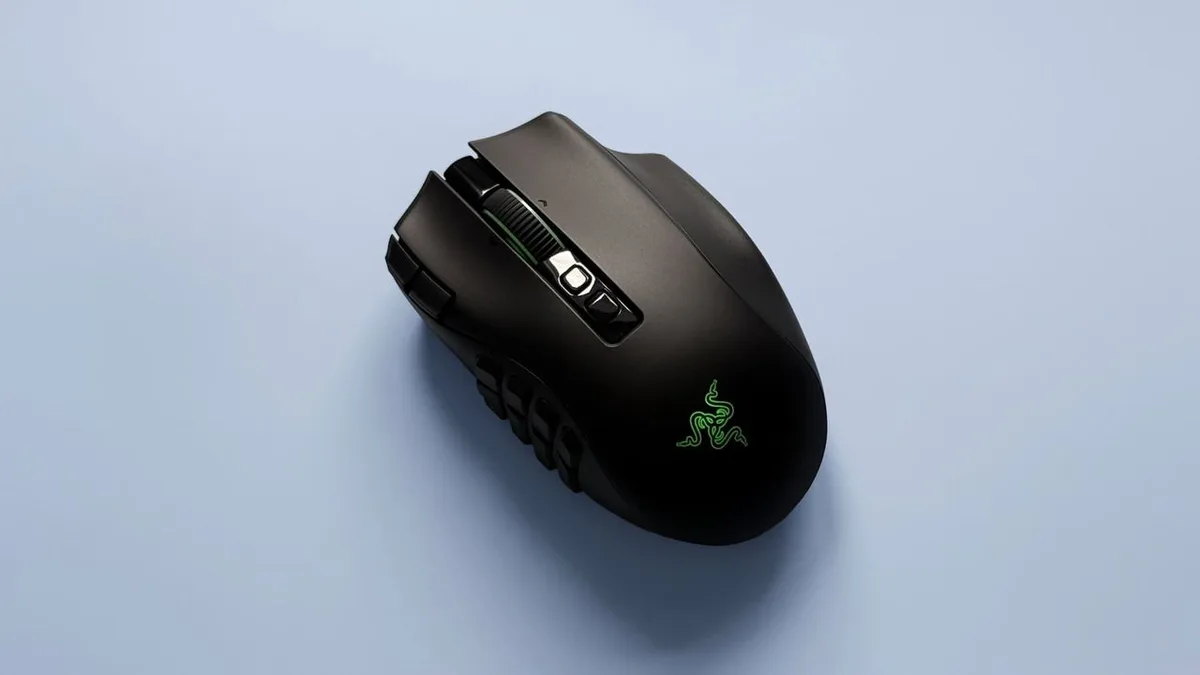
Razer Naga V3 Pro two-minute review The Razer Naga V3 Pro is marketed as a mouse for MMO players, but it’s also something else: a mouse for the undecided, for the uncommitted.
That’s because it comes with swappable side plates that let you adjust the number of buttons you get, with each made to suit a different game type.
There’s the 12-button plate, which is designed for MMOs, alongside a six-button option for MOBAs and battle royales.
If you prefer FPS titles — or just general computing — there’s a two-button panel.
Switching these plates is pleasingly simple thanks to the magnetic attachment system: just snap a new one on and you’re good to go.
Not only are these side panels a genius idea, but they work impressively well in use.
Compared to the previous version, the buttons have been redesigned to be easier to find by touch, and I had no trouble discerning them in-game.
This is especially true of the six-button side plate, whose buttons are so pronounced you could probably open a can of beans with them.
Future Future There's a bewildering array of buttons on this mouse, even if you’re not using the maxed-out 12-button plate.
There are two in the top corner of the left-click button, while a large one rests on the chassis’ lower-right-hand side.
Another two are nestled behind the scroll wheel — one to change the scroll mode and another to activate the AI Prompt Master (no, I don’t know why it’s on a gaming mouse either).
However, there are other neat tricks up the Naga’s sleeve.
It’s got Razer’s second-generation HyperScroll Tilt Wheel, which lets you change its spinning mode on the fly.
Move it slowly, and it ratchets one notch at a time; flick it quickly, and it spins freely.
5News aggregated this summary from the outlet’s public feed. The full article, with all the context, is on www.techradar.com — the content belongs to TechRadar.